Front and Back Design
Create both sides of your visiting card.
Visiting card maker · free to start
Design front and back visiting cards for your business, shop, or profession, and download a print-ready PDF.
The 3.5 × 2 inch card every printer in India cuts to, front and back.
Designs
Select a clean, professional card design for your business or personal brand.
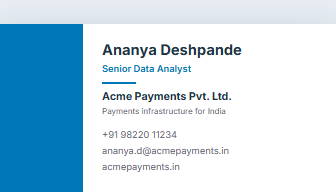 Free
Free
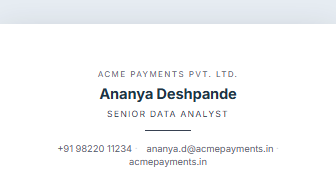 Free
Free
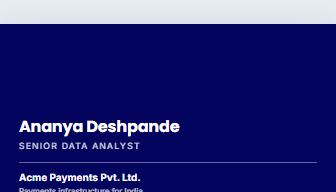 Pro
Pro
No design carries this tag yet — .
How it works
Features
Create both sides of your visiting card.
Design in the standard 3.5 × 2 inch visiting-card size.
Get print-ready output with proper bleed and trim guidance. Included with Pro.
Download an A4 sheet layout for easy printing.
Add name, designation, phone, email, address, website, and social links.
Premium
The free designs, the A4 sheet layout and the PDF are free. Pro adds your pictures and what a print shop asks for.
Bleed and crop marks
The extra margin and trim guides a printer cuts to. Pro.
Photos and logos
Upload a photo, your logo, or both. Pro.
Premium card designs
Bold Reverse.
More cards saved
Starter keeps ten documents; Pro has no limit.
Unlimited downloads
Print a fresh batch whenever details change. Pro.
FAQ
Yes. JobFolio supports front and back visiting-card designs. The back is its own page in the PDF, so the printer prints page one on the front and page two on the back.
Yes. You can download a print-ready PDF with proper card sizing — one card at exactly 3.5 × 2 inches, or an A4 sheet of ten with cut guides.
Yes. Add your business logo and branding details. Logo uploads are part of Pro.
3.5 × 2 inches — 88.9 × 50.8mm — which is what every local printer cuts to. That is the size this produces, exactly, so nothing is scaled at the print shop.
Three millimetres of extra design past the edge, so that when the guillotine cuts slightly off — and it always does — you get your colour to the edge rather than a white sliver. Ask your printer: if they want bleed, turn it on. It is part of Pro.
Designing and previewing is free, and the free plan covers three PDF downloads a month. Bleed marks, crop marks and logo uploads are part of Pro.
No. There is no watermark and no branding of ours on anything you download, on either plan.
Name, what you do, one phone number, one email. Anything more and the card gets hard to read at arm's length. Put the extras — address, a QR code to your portfolio page — on the back.
Yes, that is what the single-card PDF is for: exact trim size, and a back page if you have used one. Ask them whether they want bleed, and turn it on if they do.
Design a professional business card and download a print-ready PDF.